91 Club Deposit
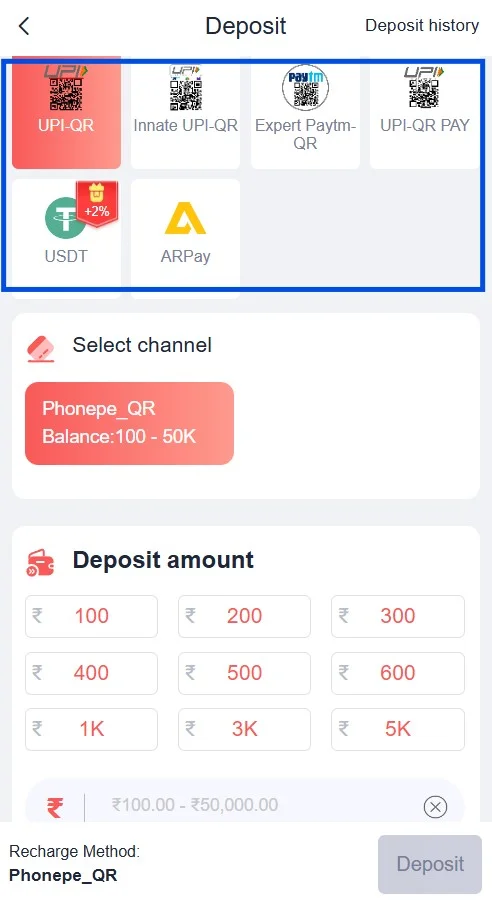
The 91 Club deposit is the second most important process after registration in your attempt to start your gaming journey. It allows you to add funds to your wallet in our game, the 91 Club. With this, your account generates game credit, and you can start enjoying your play sessions. Our game offers multiple payment gateways for faster deposits in a secure system. This includes UPI-QR, Innate UPI-QR, Expert PayTM-QR, UPI-QR Pay and USDT.
How Will You Deposit Money into the 91 Club Wallet?
To recharge the wallet, you will need a payment gateway app on your own device. These payment apps include PayTM, Phone, BHIM, GPay and USDT wallet. Your device should be a properly functioning smartphone with a camera and a scanner. Also, you must have a reliable and strong internet connection, which is the most important requirement during the process of the transaction.
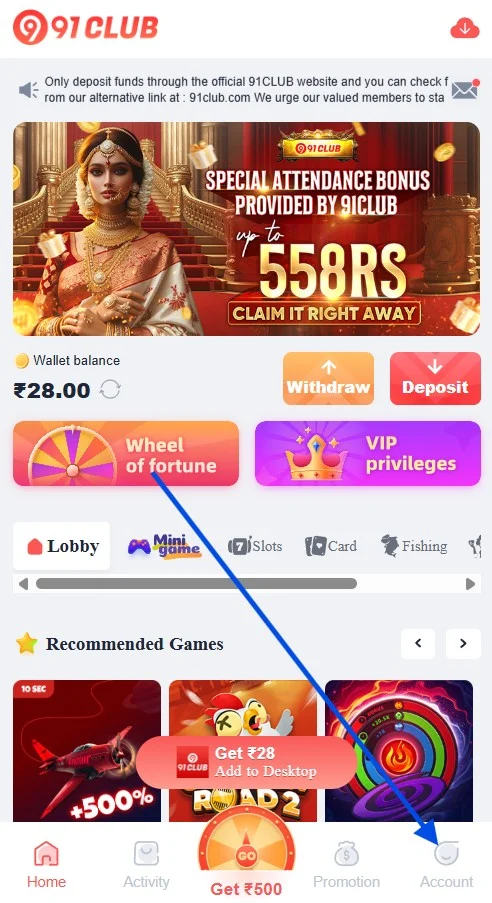
From your Account section after login, you will open the Enter Wallet tab. You can also open the Deposit tab right away from your 91 Club colour prediction game account.
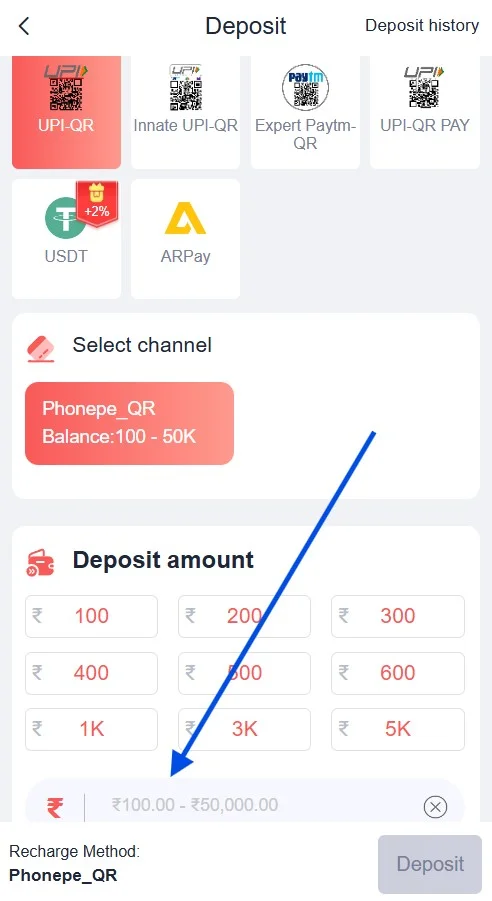
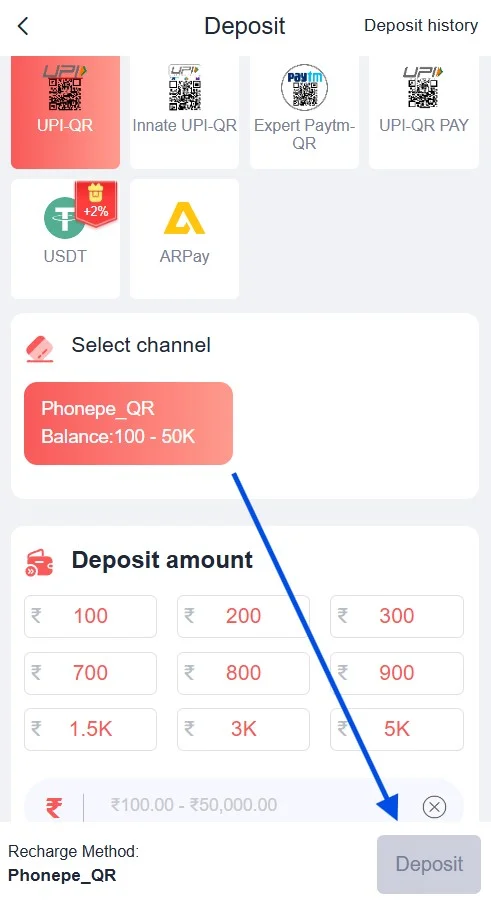
Select a payment gateway out of the UPI-QR, Innate UPI-QR, Expert PayTM-QR, UPI-QR Pay and USDT. Enter the desired amount and process the deposit into your wallet.
What Are All the Payment Methods for Carrying out the 91 Club Deposit Request?
As mentioned above, there are various payment gateways or methods to process the deposit. These include UPI-QR, Innate UPI-QR, Expert PayTM-QR, UPI-QR Pay and USDT. You can choose any one of them and complete the deposit.
For your convenience, we will discuss deposit methods into three categories: UPI, QR Code Scan, and USDT. This will simplify and clarify your understanding of the deposit process.
Deposit Using the UPI Payment Gateway: Expert PayTM UPI, UPI Pay
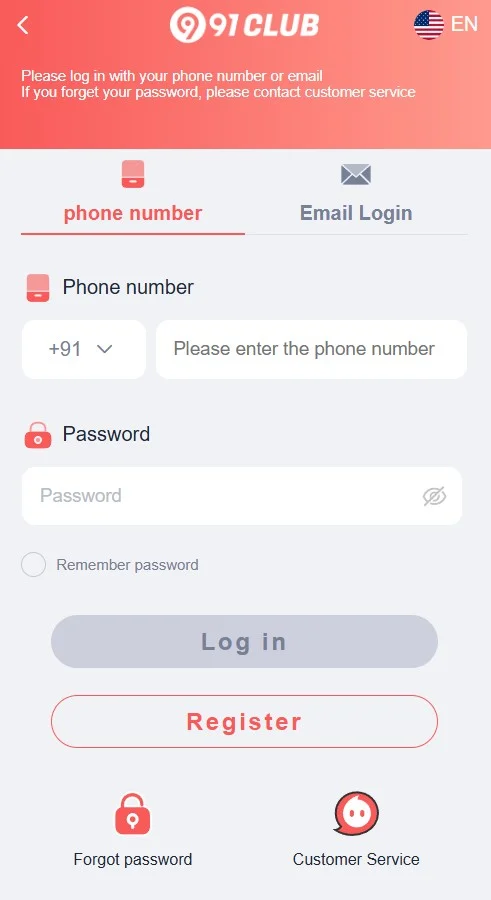
- First of all, log in to your game with your mobile number and password.
- Open it through the Enter Wallet option from within the Account section.
- Choose the “UPI” payment gateway option as per your choice: Expert PayTM or UPI Pay.
- Enter or select the “Amount” option ( ₹200.00 for Expert PayTM and UPI Pay available options).
- Start the payment by clicking the Deposit button.
- This will take you to the gateway’s main transaction interface.
- This screen will display a unique UPI ID (example: abc@upi) on your screen.
(There is a field to enter the UTR if the chip is not added to verify your payment and receive a reference. Submit the UTR.)
- You will go to your UPI payment app—Paytm, GPay, PhonePe, BHIM, etc.—on your device and open it as per your chosen gateway.
- After you have chosen the payment gateway option, submit the “Send Money” request from your app, either Paytm, GPay, PhonePe, or BHIM, and then enter our UPI ID on your payment gateway screen.
- Please remember to enter the exact deposit amount to complete the transaction into your wallet.
- You will confirm your payment request and allow time for processing.
- You may keep a record or screenshot of your transaction in case of its requirement during interaction with the 91 Club support team for tracking or for any other purposes.
- The completed 91 Club recharge request will display on your wallet within the given processing time.
Deposit Using QR Scan Payment Gateway: UPI-QR, Innate UPI-QR, Expert PayTM-QR, and QR Pay
- First, sign in to your game using the button above.
- Open the Deposit button directly or open it through the Enter Wallet option.
- Click the payment gateway option (either UPI-QR, Innate UPI-QR, Expert PayTM-QR, or QR Pay ) on your Deposit screen.
- Enter or select the “Amount” option (e.g., ₹100.00 or more for UPI and Innate UPI, and for Expert PayTM and UPI Pay, ₹200.00 from the available options).
- Start the payment process by clicking the Deposit button; a QR code screen will display.
- You will now open your own payment app on your smartphone (such as Paytm, PhonePe, BHIM or GPay) and then scan the QR code from your device scanner.
(There is a field to enter the UTR if the chip is not added to verify your payment and receive a reference. Submit the UTR.
- Click the Submit button to process the 91 Club deposit request.
- Your deposit amount request will display in your wallet after some time.
Deposit Using the USDT Payment Gateway: Recharging the Wallet with Crypto Wallet
- Log in to your game profile and launch your Deposit from your Account section.
- You can also open your Deposit from the Enter Wallet option available within the Account section.
- You will click the USDT option from your Deposit page.
- Select the desired “Amount” of USDT (e.g., T10.00, T50, T100, or more) or type in the figure in the given field.
- And then click the Deposit button to start the payment process.
- It will open a new page with a cryptocurrency wallet address for you with the unique token ID (temporary session ID).
- You need to copy this crypto Wallet address, move it to your Cryptocurrency wallet, paste it (on your own device), and submit the payment from there.
- You must keep in mind that this transaction process only happens through the USDT-TRC20 (blockchain) exchange network.
- Once you submit the 91 Club recharge or payment request through USDT, the blockchain network will validate the transaction. Also, the payment channel on your wallet will verify the incoming payment. After that, you will see your requested deposit appear at some point in time.
Why Do You Need to Maintain a Deposit Money Balance in the 91 Club Wallet?
Your gaming activity can only happen if there is credit. Gaming credit comes from the eligible balance in the account. To generate or activate this gaming credit, you need a deposit balance in your wallet.
When you receive the 91 Club gift code, you may claim free game credits, coins or in-game currencies. But these gifts powering your gaming activity only get an eligible boost or credits when you have a limited deposit balance in your wallet.
Therefore, the 91 Club deposit transfer into your wallet is essential. Without it, you cannot start your play sessions.
What Are the Common Errors Associated with the 91 Club Recharge Request & Solutions?
You may face a number of errors when trying to complete the deposit into your wallet. These issues can include incorrect UPI IDs, insufficient bank balance, network connectivity issues, failure to generate the reference number, and server timeout errors.
You may use the following steps to solve the issues:
- Maintain a reliable and strong internet connection as well as a sufficient balance in your bank account or the payment apps such as wallets of Paytm, GPay, PhonePe, and BHIM.
- You will double-check your UPI ID before confirming the deposit request.
- Think of using an alternative payment gateway if one of the options does not go through.
- You may consider saving the transaction ID and taking a screenshot of your deposit request for future reference.
- Your app, device, and browser cache may cause interference, so clear them if the deposit screen freezes for you.
- Keep your account and profile in good standing by completing proper registration and entering the 91 Club Invite Code, completing KYC verification, and entering your personal information to avoid conflicts.
Conclusion
Our platform ensures user convenience and comfort by offering multiple payment gateway options. These gateways are modern and up-to-date. All of them provide highly secure infrastructure. They are not only safe but also faster. To use these payment apps, you only need a basic smartphone and a reliable internet connection. Using them, you can pay your deposit and enjoy your favourite games.
Through this discussion on deposit, we have provided valuable guidance. We have discussed how to deposit your money into your wallet. We have included various payment methods and common errors for 91 Club deposit requests in this post.
Frequently Asked Questions
Can my game teacher help me fix payment errors?
The 91 Club teacher can only guide you through the payment steps, but cannot fix the errors. For that, contact the support team.
In which section on the taskbar is the Deposit tab available?
Your Deposit option is available within the Account section.
What is the minimum deposit amount in 91 Club?
The minimum deposit is as follows: ₹100.00 or more for UPI-QR and Innate UPI-QR, and ₹ 200.00 for Expert PayTM-QR and UPI-QR Pay, while T10 for USDT.
Is the 91 Club deposit safe and secure?
Yes, the 91 Club prediction gaming platform offers a safe and secure payment system.
What should I do if my deposit amount is not showing up in the wallet?
Allow some time. If it does not reflect after some time, contact our support team.
Is there a bonus for depositing money into my wallet?
Yes, you may qualify for the first deposit welcome bonus. However, the criteria, rules, regulations and announcements depend on the development team regarding the 91 Club deposit bonus program.